How to Start a Website
From the first plan to launch day: pages, platform, domain, hosting, set-up and the checks that matter.
Clear instructions for the jobs every new site owner faces, in the order you'll usually face them. Each tutorial has its own page with the full steps, troubleshooting and sources.
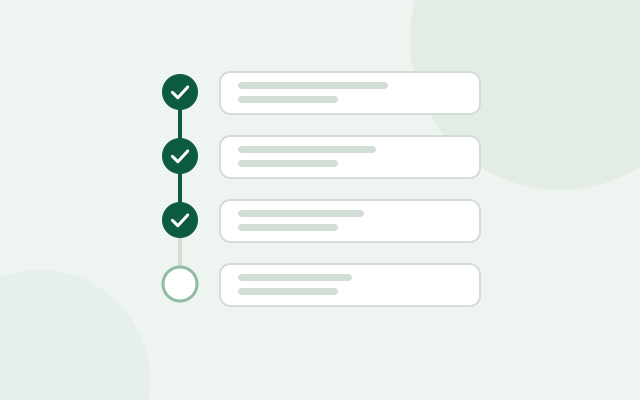
Start with the first if you're building a new site, or jump to the job in front of you.
From the first plan to launch day: pages, platform, domain, hosting, set-up and the checks that matter.
Install WordPress with your host's installer or by hand, set the first options, and fix the most common installation errors.

Pick a short, memorable, trademark-safe name, the right ending and a registrar set up so you never lose it.
A layered routine: updates, logins, user roles, backups, a firewall and monitoring, plus what to do if you're hacked.
Measure Core Web Vitals, then fix the usual causes: images, caching, heavy plugins, third-party scripts and hosting.
Match a plan's limits to your real needs and avoid paying for resources you won't use.
The nine steps from a first idea to a live site, in the order that avoids rework: purpose and pages, platform, domain, hosting, set-up, content, legal basics, pre-launch checks and what to do after launch.
Install WordPress with your host's one-click installer or by hand, change the first settings that matter, and fix the most common installation errors.
Pick a short, memorable name and the right ending, check trademarks, choose a registrar, and set up auto-renewal and locks so you never lose your domain.
A layered security routine in order of impact: updates, logins and two-step authentication, user roles, backups, a firewall, monitoring, and what to do if you're hacked.
Measure Core Web Vitals with PageSpeed Insights, then fix the usual causes of a slow site: images, caching, heavy plugins, third-party scripts, fonts and hosting.
Once you've picked a host, you still need to choose a plan. The aim is to pay for what you'll use in the next year, with a clear route to upgrade.
For a full breakdown, read how to choose reliable hosting for a business website and best web hosting for small businesses. To compare specific providers' plans, limits and renewal prices, see our hosting reviews.
Choosing a host as well as a plan? Start with how to choose reliable hosting, then compare providers in our hosting reviews.